Refresh Your Game: A Guide to The Sims 4 Base Game Update!
- fogamegem
- Jan 17, 2025
- 3 min read

Sul Sul, Simmers! 🎮 Today, we’re diving into an exciting new project called the Sims 4 Base Game Update! Whether you’re a long-time player or just starting, this update brings wonderful changes to some familiar homes. Let’s explore how you can enjoy these refreshes in your game!
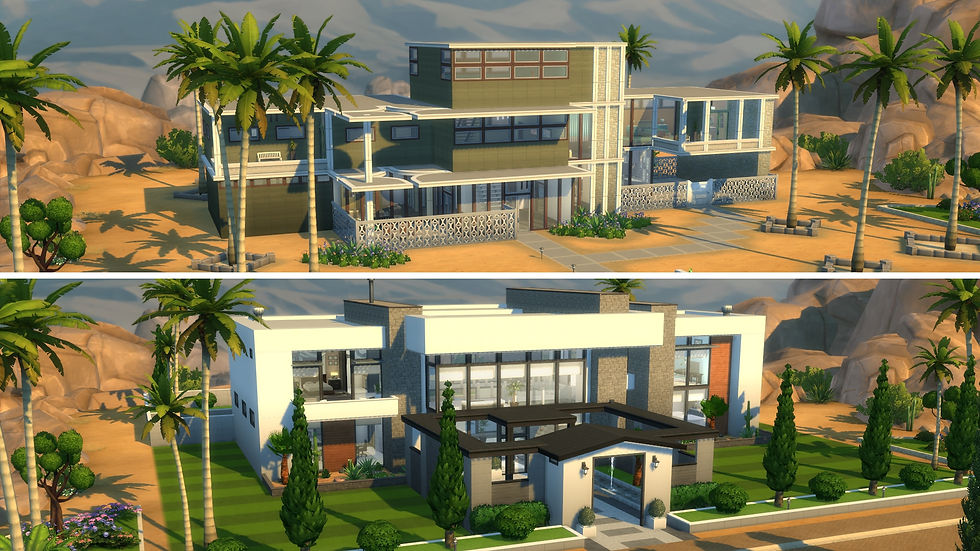
What is the Sims 4 Base Game Update?
The Sims 4 team decided to breathe new life into old homes that many of us know and love. Over the past ten years, they have added lots of cool features like pools, platforms, and new modern items. Instead of starting from scratch, the developers put love and care into updating these homes while keeping their original charm! 🏡
Objective: Understand the Concept of Refresh
- The aim of this update is to make familiar lots exciting again by adding modern decor and items.
- Each home represents its "townie" (the characters living there) by incorporating their age, traits, and hobbies into the design. 🌈
---
How to See This Refresh In-Game
Now, let’s get into the action! Here’s how you can see the refreshed lots in your game.
For New Saves:
1. Start a New Game: From the main menu, select "New Game."
2. Create Your Household: Use the Create A Sim (CAS) feature to make your characters.
3. Explore the World: Head over to Willow Creek or Oasis Springs, and you will find the updated lots ready for you! 🎊
For Existing Saves:
No worries if you've already been playing! Here’s how to manually add these refreshed homes to your existing game:
1. Load Your Existing Save: Start The Sims 4 and load your saved game.
2. Manage Worlds: Click on “Manage Worlds” and choose either Willow Creek or Oasis Springs.
3. Open the Gallery: Look at the top right corner for the “Gallery” tab and click it.
4. Access My Library: Click on “My Library” and filter by “Maxis.” You’ll see all the updated lots there!
5. Placing the Lots: Select your desired lot and hit “Place Lot.” Choose the location and confirm! Repeat if you want more lots! 🌟
---
FAQs: Common Questions
1. Will my modified townie lot in an existing save be impacted by this update?
- No, any changes you made will remain intact after the update!
2. If I built a new lot where a townie lot was, will my build be impacted?
- Again, no! Your creations won’t change due to this update.
3. My townie household can’t afford the new home! What should I do?
- You can use the “Free Real Estate” cheat! Open the cheat menu by pressing “Ctrl + Shift + C” and type:
- testingCheats true
- FreeRealEstate On
This will help you place your lots. 😊
4. Can I keep the original homes?
- Yes! The “Legacy Versions” of the original homes are saved in your Library for you to place.
---
Enjoy the Upgrades!
The Sims 4 Base Game Update is a chance to rediscover your game with fresh content and stories! So gather your Sims and dive into these beautifully updated homes. Whether you’re building stories or simply enjoying the view, there’s something for everyone. Have fun! 🥳
---
And that’s your guide to the refresh! If you have any questions or tips on how you plan to use the new lots, share them in the comments below. Happy Simming!


Comments